Best Gaming Setup Gear to Buy in Brazil for Every Budget
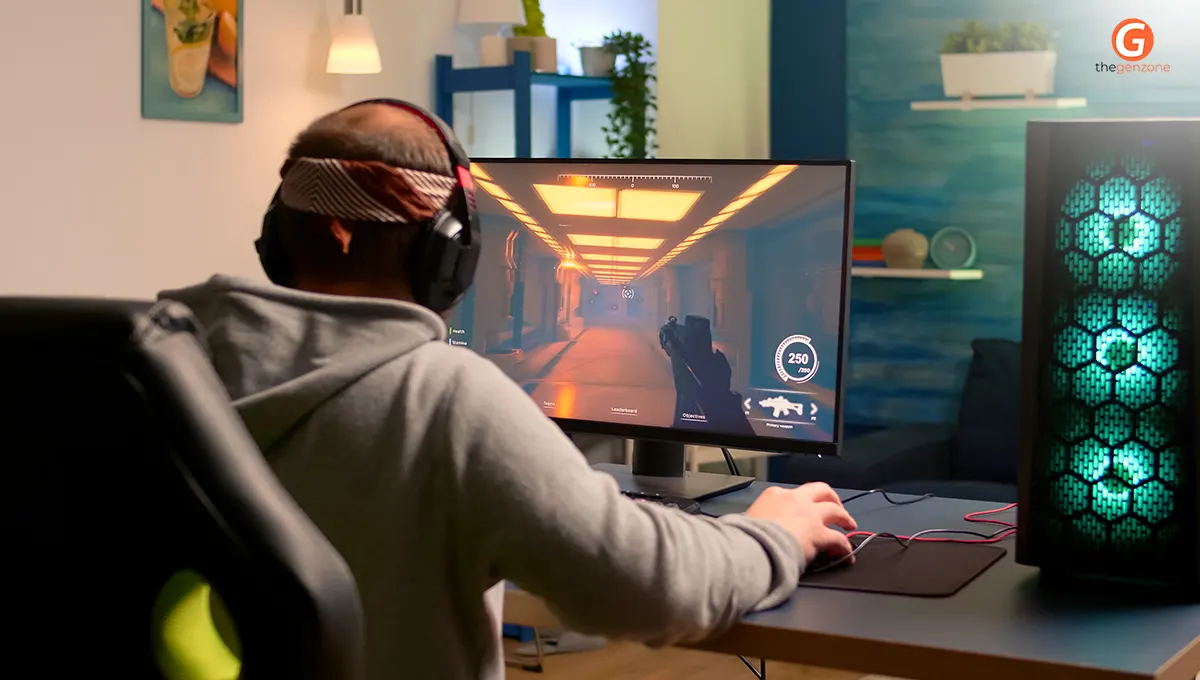
Building the perfect gaming space isn't about buying the most expensive equipment: it's about choosing the right gear that fits your gaming style, budget, and comfort.
Whether you're a casual gamer, an esports enthusiast, or someone upgrading an existing setup, selecting the right peripherals can make a noticeable difference in your experience. From responsive keyboards to immersive headsets and ergonomic accessories, every component plays a role.
If you're searching for the best gaming setup Brazil has to offer, this article will help you understand what to buy, how to prioritize your purchases, and where to find reliable gaming gear without overspending.
Quick Overview:
|
What You'll Learn |
Why It Matters |
|
Essential gaming setup components |
Build a balanced setup without wasting money |
|
How to choose gaming peripherals |
Match gear to your gaming style |
|
Budget-friendly buying tips |
Upgrade wisely over time |
|
Trusted places to shop |
Buy authentic products with confidence |
|
Accessories worth investing in |
Improve comfort and overall gameplay |
What Makes a Complete Gaming Setup?
A great gaming experience starts with a well-balanced setup rather than focusing on a single high-end device. The best gaming setup Brazil gamers can build combines performance, comfort, and reliability.
Here are the essential components every gaming setup should include:
|
Component |
Purpose |
|
Gaming Monitor |
Smooth visuals and fast response times |
|
Gaming Keyboard |
Accurate and responsive controls |
|
Gaming Mouse |
Better precision and tracking |
|
Gaming Headset |
Clear audio and communication |
|
Mouse Pad |
Consistent mouse movement |
|
Gaming Chair |
Long-session comfort |
|
Gaming Desk |
Better organization and ergonomics |
Optional upgrades such as RGB lighting, monitor arms, and cable organizers can improve aesthetics and convenience, but they shouldn't come before the essentials.
If you're building your first setup, start with a quality monitor, keyboard, mouse, and headset. As your needs grow, you can gradually add accessories instead of purchasing everything at once.
This step-by-step approach not only saves money but also helps you identify which upgrades genuinely improve your gaming experience instead of simply adding visual appeal.
How to Choose Gaming Peripherals That Match Your Playing Style
Gaming peripherals aren't one-size-fits-all. The ideal choice depends on the types of games you enjoy and how often you play. Investing in the best gaming peripherals that Brazil offers can significantly improve responsiveness, comfort, and overall performance.
Choose the Right Keyboard:
Mechanical keyboards are known for their durability, tactile feedback, and faster key registration, making them popular among competitive gamers. Membrane keyboards, meanwhile, are quieter and more budget-friendly, making them a solid option for casual gaming.
Pick a Mouse That Fits Your Grip:
A gaming mouse should feel natural in your hand. Look at factors such as:
- Adjustable DPI settings
- Comfortable grip design
- Lightweight construction
- Programmable buttons for added control
Fast-paced games generally benefit from lighter mice, while strategy and MMO titles often take advantage of additional programmable buttons.
Don't Overlook Your Headset:
Clear communication is essential for multiplayer games. A good headset should offer:
- Comfortable ear cushions
- Balanced sound quality
- Reliable microphone clarity
- Durable construction for daily use
Comfort becomes especially important during long gaming sessions.
Select the Right Monitor:
Refresh rate and response time influence how smooth games feel. Players interested in competitive titles usually benefit from higher refresh rates, while casual gamers may prioritize resolution and vibrant colors.
Match Gear to Your Gaming Style:
|
Gaming Genre |
Priority Peripheral |
|
FPS |
Mouse + High Refresh Monitor |
|
MOBA |
Mechanical Keyboard |
|
Racing |
Responsive Monitor |
|
RPG |
Comfortable Headset |
|
Casual Gaming |
Balanced All-Round Setup |
A practical tip from experienced gamers is to upgrade peripherals one at a time. This allows you to notice the difference each improvement makes while staying within your budget and avoiding unnecessary purchases.
Where to Buy Gaming Gear in Brazil
Finding genuine gaming products is just as important as choosing the right hardware. If you're wondering where to buy gaming gear in Brazil, focus on retailers that offer authentic products, manufacturer warranties, transparent return policies, and verified customer reviews.
Before making a purchase, check whether the retailer clearly lists product specifications, warranty coverage, shipping details, and customer ratings. These details help you avoid counterfeit products and ensure you're investing in reliable equipment.
One well-known destination for gaming hardware is Kabum, which offers a wide selection of gaming peripherals, PC components, monitors, and accessories from leading brands. Comparing prices across trusted retailers is also a smart way to find seasonal discounts without sacrificing quality.
Quick Buying Checklist:
|
Before You Buy |
Why It Matters |
|
Check warranty |
Protects your investment |
|
Read customer reviews |
Understand real-world performance |
|
Compare specifications |
Ensure compatibility |
|
Verify seller reputation |
Avoid counterfeit products |
|
Review return policy |
Easier exchanges if needed |
Following these simple checks helps you purchase gaming equipment with greater confidence while ensuring long-term value.
Gaming Accessories That Deliver the Biggest Upgrade
After covering the essentials, adding a few carefully selected accessories can noticeably improve both comfort and organization. Many of the best online gaming accessories Brazil retailers offer are practical upgrades rather than luxury purchases.
Accessories worth considering include:
- Large extended mouse pads for smoother movement
- Monitor arms to free up desk space
- Cable management sleeves for a cleaner setup
- USB hubs for connecting multiple devices
- External microphones for better voice quality
- Webcam for streaming or online meetings
- Controller charging docks
- Laptop cooling pads for portable gaming
While RGB lighting can make your setup look impressive, ergonomic accessories often provide more long-term benefits.
For example, an adjustable monitor arm and proper cable management reduce desk clutter and improve posture during extended gaming sessions.
The best gaming setup is one that's comfortable enough to use every day, not just one that looks great in photos.
Common Mistakes People Make When Building a Gaming Setup
Many gamers spend most of their budget on a PC or console while overlooking the peripherals they use every minute. This often leads to an unbalanced experience.
Some of the most common mistakes include:
- Buying the cheapest keyboard and mouse available
- Ignoring ergonomic chairs and desk height
- Choosing style over functionality
- Purchasing accessories that aren't compatible
- Forgetting about warranty and after-sales support
- Filling the desk with unnecessary RGB products before buying quality essentials
Imagine purchasing a powerful gaming PC but pairing it with a low-refresh-rate monitor. The hardware performs well, but you never experience its full potential. Prioritizing balanced upgrades helps avoid these costly mistakes and creates a setup that performs consistently over time.
Building the Best Gaming Setup for Every Budget
No matter your budget, smart planning makes a bigger difference than simply buying premium equipment.
|
Budget |
Recommended Focus |
|
Entry-Level |
Reliable keyboard, gaming mouse, quality headset |
|
Mid-Range |
Mechanical keyboard, faster monitor, ergonomic chair |
|
Premium |
High-refresh monitor, wireless peripherals, premium audio, adjustable desk |
Rather than replacing everything at once, upgrade gradually.
Many experienced gamers improve one component at a time, allowing them to evaluate each upgrade before investing further.
If you're comparing prices, Kabum is often one of the retailers gamers check alongside other trusted stores when looking for gaming peripherals and complete setup accessories. A planned upgrade path ensures every purchase adds meaningful value to your gaming experience.
Conclusion:
Building the best gaming setup Brazil offers doesn't require the biggest budget; it requires thoughtful decisions.
Prioritizing quality peripherals, choosing reliable accessories, and purchasing from trusted retailers can dramatically improve both comfort and performance. Whether you're assembling your very first gaming station or upgrading an existing one, focusing on the essentials before adding premium accessories will give you the best long-term results.
Retailers like Kabum make it easier to find a wide range of gaming equipment, but comparing features and warranties is always worthwhile. Start with what matters most, upgrade gradually, and create a gaming setup you'll enjoy for years to come.
Frequently Asked Questions
- Is gaming popular in Brazil?
Yes, gaming is extremely popular in Brazil, with millions of active PC, console, and mobile gamers. The country has a large esports community, frequent gaming events, and strong demand for gaming hardware, making it one of the largest gaming markets in Latin America.
- Is $1000 enough for a gaming PC?
Yes, a budget of $1,000 is generally enough to build or buy a capable gaming PC that can handle most modern games at 1080p and even some titles at 1440p with good settings. Pairing it with quality peripherals creates a balanced gaming experience.
- What is the best gaming setup?
The best gaming setup includes a high-refresh-rate monitor, mechanical keyboard, responsive gaming mouse, comfortable headset, ergonomic chair, sturdy desk, and reliable accessories such as a large mouse pad and cable management solutions. The ideal setup balances performance, comfort, and budget rather than focusing on the most expensive components.
- Is a $500 PC good for gaming?
A $500 gaming PC is suitable for entry-level gaming and can run many popular esports and less demanding titles at 1080p with medium settings. While it may not deliver ultra settings in the latest AAA games, it's a solid starting point that can be upgraded over time with better components and peripherals.
.jpg)