Why Your Phone Charges So Slowly in 2026 and the Charger and Cable Mix-Ups Behind It
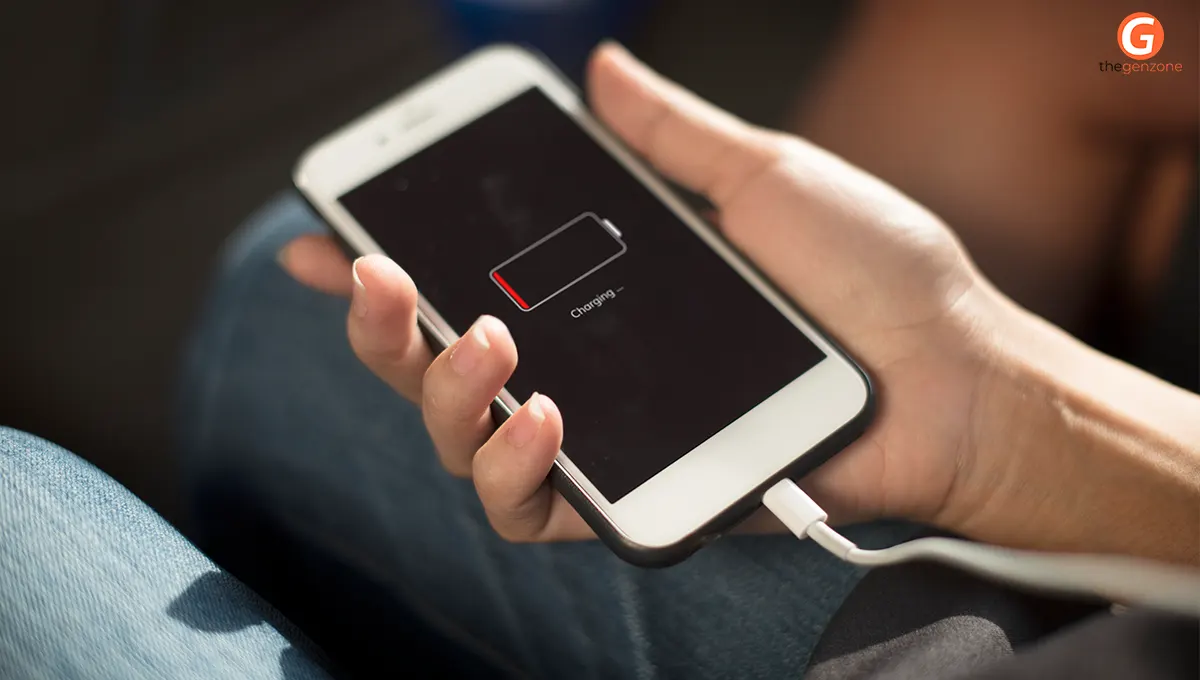
Your phone is plugged in, the battery icon is showing, but the percentage barely moves. Sound familiar? Slow charging is a common frustration, even with newer smartphones that support fast charging. The surprising part is that your phone might not be the problem. An underpowered adapter, an incompatible USB-C cable, poor charging standards or even a small amount of dust inside the charging port can affect charging speed. In 2026, USB-C technology and GaN chargers offer better charging options, but choosing the wrong combination can still leave your phone charging painfully slowly. Understanding charger wattage, cable ratings and device compatibility can help you identify the problem and get the charging performance your phone supports.
Quick Overview
- Slow phone charging often happens because the charger and cable cannot deliver the power your device supports.
- A USB-C connector does not automatically mean a cable supports fast charging.
- Charger wattage, USB Power Delivery (USB-PD) and device compatibility all influence charging speed.
- GaN chargers provide efficient power delivery in a compact design.
- Heat, damaged cables, dirty ports and background activities can also slow down charging.
- Checking your phone's charging requirements before buying accessories can prevent unnecessary upgrades.
Why Your Phone Charges Slowly Even With a New Charger
Buying a new charger does not always solve slow charging. Your phone, adapter and cable must work together to deliver the required power. If one component has limited capacity or does not support the right charging protocol, the entire setup may operate at a lower speed.
For example, a smartphone that supports 30W fast charging will not necessarily charge at 30W when connected to an older 10W adapter. Similarly, using a high-wattage adapter with a cable that cannot handle the required power may limit charging performance.
Here are some common reasons your phone takes longer to charge:
- Low-wattage adapter: An older charger may provide less power than your smartphone requires for fast charging.
- Incompatible charging protocol: Some smartphones rely on USB Power Delivery, while others use proprietary fast-charging technologies.
- Poor-quality cable: A cable with limited power capacity can restrict how much electricity reaches your device.
- Damaged charging port: Dust, lint or loose connections can interrupt proper power delivery.
- Excessive heat: Smartphones may automatically reduce charging speed when their temperature rises.
- Background activities: Gaming, video streaming, navigation and other demanding tasks consume power while charging.
The best starting point is to check your phone manufacturer's recommended charging specifications rather than assuming every USB-C accessory will work at maximum speed.
The USB-C Cable Confusion Behind Slow Charging
One of the biggest reasons people experience slow charging in 2026 is choosing a USB-C cable based only on its connector type.
USB-C describes the physical connector, not the cable's complete charging capability. Two cables may look identical but support different power ratings and data-transfer speeds.
This explains why you might experience a situation where your phone charges quickly with one cable but takes considerably longer with another.
Why Is Your USB C Cable Not Fast Charging?
If your USB C cable not fast charging is becoming a regular problem, check these possible causes:
- Limited power rating: Some cables support lower power levels and cannot deliver the output required by higher-powered charging setups.
- Missing compatibility: Your cable may not support the charging protocol or power requirements of your phone and adapter.
- Internal cable damage: Bent connectors, worn insulation or damaged internal wires can affect charging performance.
- Poor-quality construction: Unreliable cables may have inconsistent electrical performance and inadequate safety protection.
- Wrong cable type: A USB-A to USB-C cable and a USB-C to USB-C cable may support different charging capabilities depending on their specifications.
The USB Implementers Forum (USB-IF) uses cable markings to identify supported power levels. Certified USB-C-to-USB-C cables can carry 60W or 240W power-rating logos, helping buyers understand their capabilities.
How Many Watts Do You Need to Charge a Phone Fast?
Charger wattage is one of the most important specifications to understand when buying a fast charger. Watts measure the rate of electrical power delivery, and a higher-wattage adapter can support faster charging when the smartphone is designed to accept that power.
However, buying a 100W charger does not mean your phone will automatically charge at 100W. Your device determines how much power it can accept, while the charger and cable must support the required charging standard.
If you are wondering how many watts to charge phone fast, the answer depends on your smartphone model and its maximum supported charging speed.
For instance:
- 10W–15W: Suitable for basic charging, but relatively slow for many modern smartphones.
- 18W–25W: A practical range for many everyday fast-charging setups.
- 30W–45W: Suitable for smartphones that support higher wired charging speeds.
- 65W and above: Useful for compatible high-power phones, tablets and laptops.
These are general wattage categories, not universal charging-speed guarantees. Always check your device's official specifications before choosing an adapter.
Understanding the USB C Charger Wattage Guide Before Buying
Choosing the right adapter becomes easier when you understand how wattage, charging standards and cable capacity work together.
A useful USB C charger wattage guide should consider three things:
- Maximum phone input: Check the highest wired charging power supported by your smartphone.
- Charger output: Choose an adapter that supports the required wattage and compatible charging protocol.
- Cable capacity: Make sure your USB-C cable can handle the required power without limiting the connection.
Here is a quick comparison to help you choose:
|
Charger wattage |
Common use |
What to consider |
|
10W–15W |
Basic smartphone charging |
Suitable for older or entry-level devices |
|
18W–25W |
Everyday smartphone charging |
Works with many mid-range phones |
|
30W–45W |
Faster smartphone charging |
Check USB-PD and device compatibility |
|
65W |
Phones, tablets and some laptops |
Useful for multiple compatible devices |
|
100W–140W |
High-power devices and laptops |
Requires suitable cables and charging support |
For example, Apple's charging guidance recommends a USB-C Power Delivery adapter and compatible cable for faster wired charging on iPhone 15 and later models. It also explains that charging through a multiport adapter can result in reduced power output when several devices are connected.
This is why checking the adapter's output specifications is more useful than simply buying the highest-wattage charger available.
What Is a gan Charger and Why Is It Popular in 2026?
Traditional chargers use silicon-based components to manage electrical power. GaN chargers use Gallium Nitride, a semiconductor material that allows manufacturers to develop compact and efficient charging adapters.

If you are asking what is a gan charger, it is essentially a charger that uses Gallium Nitride technology instead of conventional silicon-based components for power conversion.
GaN technology has become popular because it allows manufacturers to produce smaller chargers with higher power capabilities.
Key Benefits of GaN Chargers
- Compact design: GaN technology allows manufacturers to fit powerful charging components into smaller adapters.
- Efficient power conversion: It can reduce energy losses during power conversion.
- Multiple charging ports: Many GaN adapters support multiple devices through USB-C and USB-A ports.
- Convenient travel: Their compact size makes them easier to carry in backpacks, handbags and travel kits.
- High-power support: Depending on the model, GaN chargers can support smartphones, tablets and laptops.
However, GaN does not automatically mean faster charging. The adapter must still support your smartphone's charging protocol and required wattage.
For instance, a 65W GaN charger can be a convenient choice for someone who regularly charges a compatible smartphone, tablet and laptop. However, a phone supporting only 25W wired charging will not suddenly accept 65W.
Brands such as UGREEN offer GaN charging adapters in different power categories. Their compact designs and multiple-port options make them worth considering when comparing charging accessories.
Fast Charger vs Cable Which Matters More?
When comparing fast charger vs cable which matters more, the simplest answer is that both are equally important for achieving the charging speed your smartphone supports.
Think of the charger as the power source and the cable as the connection that carries that power to your device. If either component has limited capabilities, the overall charging speed can suffer.
Consider these situations:
- High-wattage charger + low-rated cable: The cable may restrict the available power.
- Low-wattage charger + high-rated cable: The adapter cannot provide more power than its supported output.
- Compatible charger + compatible cable: Your phone can negotiate the appropriate charging power.
- Incompatible charging standard: Even powerful accessories may not deliver the expected fast-charging performance.
For example, if your smartphone supports 45W charging, using a compatible 45W or higher-output adapter and an appropriately rated cable can help achieve its supported charging speed.
UGREEN offers USB-C cables with different power ratings, so check the specific product's specifications instead of choosing based only on appearance or connector type.
How to Fix Slow Phone Charging Without Buying Everything Again
Before spending money on another charger, try a few simple troubleshooting steps. Sometimes, the issue comes from a minor connection problem rather than an outdated accessory.
1. Check Your Charging Adapter
Look at the output specifications printed on your adapter. Compare its supported wattage and charging protocols with your smartphone manufacturer's recommendations.
If the adapter provides considerably less power than your phone supports, upgrading to a compatible model may help.
2. Replace or Test Your USB-C Cable
Try another compatible cable that supports the required power rating. If charging improves immediately, your previous cable may have been limiting performance.
Avoid damaged, loose or unusually cheap cables without reliable specifications.
3. Clean the Charging Port Carefully
Dust and lint can accumulate inside charging ports, preventing the cable from connecting properly.
Switch off your phone and inspect the port under good lighting. Avoid inserting metal objects or applying liquids. If debris is stuck inside, ask a professional technician to clean it.
4. Avoid Using Your Phone While Charging
Playing graphics-heavy games, watching high-resolution videos and using navigation apps can increase power consumption and heat.
When the phone becomes warm, its charging system may reduce power to protect the battery.
5. Disconnect Other Devices From Multiport Chargers
Some multiport adapters distribute available power between connected devices. As a result, your smartphone may receive less power when another device is plugged in.
Check the adapter's power-allocation specifications and try charging your phone alone.
6. Check Battery and Temperature Settings
Modern smartphones use battery-management systems to control charging speed and temperature. Charging may slow down when the battery gets hot or approaches its maximum charge level.
Apple, for example, documents how temperature and battery-management features can affect charging behaviour. Its iOS 26 battery settings also provide estimated charging times and alerts for slower or incompatible chargers.
A Simple Checklist Before Buying a Fast Charger in 2026
If you are planning to replace your existing charging accessories, keep these points in mind:
- Check your smartphone's maximum supported charging wattage.
- Confirm whether your device supports USB Power Delivery or another fast-charging standard.
- Choose a charger from a reliable manufacturer with clearly listed output specifications.
- Match your USB-C cable's power rating to your charging requirements.
- Check the charger's power distribution if it has multiple ports.
- Look for appropriate safety and certification information.
- Avoid purchasing accessories based only on advertised wattage or appearance.
UGREEN is one brand to compare when looking for USB-C cables and GaN adapters. However, always verify the exact model's compatibility, supported output and cable rating before making a purchase.
The Bottom Line
Slow phone charging often comes down to a mismatch between the adapter, cable and smartphone. A powerful charger cannot deliver its full potential through an incompatible cable, and a high-rated cable cannot compensate for an underpowered adapter. Before replacing your accessories, check your phone's charging specifications, inspect the cable and adapter, and look for temperature or connection issues. GaN chargers, USB-PD compatibility and properly rated USB-C cables make charging more convenient in 2026. A little attention to these specifications can help you avoid unnecessary purchases and get better performance from your existing smartphone.
Frequently Asked Questions
1. Why is my phone charging slowly even with a fast charger?
Your phone may charge slowly because the adapter does not support its charging protocol, the cable has a lower power rating, or the device is overheating. Background activities and dirty charging ports can also affect charging performance.
2. Does every USB-C cable support fast charging?
No. USB-C refers to the connector type, not its charging capability. Different cables support different power levels. Always check the cable's wattage rating and compatibility before purchasing.
3. Is a 65W charger safe for a 25W smartphone?
Generally, yes, provided the charger meets appropriate safety standards and supports a compatible charging protocol. Your smartphone controls how much power it accepts, so it will not automatically draw the full 65W.
4. What is better for smartphones, a GaN charger or a regular charger?
Both can charge smartphones effectively if they offer compatible power output and charging protocols. GaN chargers generally provide a more compact design and efficient power conversion, making them convenient for everyday use and travel.
5. How can I check whether my USB-C cable supports 60W or 100W charging?
Check the manufacturer's product specifications and cable markings. USB-IF-certified USB-C-to-USB-C cables use 60W or 240W power-rating logos. For higher-power charging, verify the cable's supported rating and compatibility with your adapter and device.


.jpg)